
 Helpful Posts:
 The new laptop I've just configured isn't really adequate; it can't handle the complex Adobe functions in a reasonable time. So, I am looking at replacing the desktop that was recalled. I'm considering the following specs and would appreciate any feedback about their adequacy.
thanks
CPU: Intel® Core™ Ultra 5 235 (24 MB cache, 14 cores, 14 threads, 2.9 GHz to 5.0 GHz, 65W)
GPU: NVIDIA® RTX™ A400, 4 GB GDDR6, 4 mDP to DP adapters
RAM: 16GB: 1 x 16 GB, DDR5, 5600 MT/s, ECC
Internal storage (I plan to keep my photos on an external SSD): 512 GB, M.2 2230, TLC PCIe Gen4, SSD
Results 1 to 20 of 39
Thread: new computer specs
-
3rd December 2025, 11:06 PM #1


- Join Date
- Dec 2011
- Location
- New England
- Posts
- 9,291
- Real Name
- Dan
new computer specs
-
3rd December 2025, 11:49 PM #2Moderator

- Join Date
- Mar 2012
- Location
- Ottawa, Canada
- Posts
- 22,492
- Real Name
- Manfred Mueller
Re: new computer specs
Dan - I would bump the RAM to 32GB (although with what is happening with RAM prices these days, I understand going with a lower amount). My old machine was 32GB and was swapping out regularly.
Everyone I have spoken to suggests that AMD processors are better value (cost and performance) that Intel right now, so a current model Ryzen 7 might be worth looking at. I went with a Ryzen 9 9950X (it was on sale and it was less expensive than the CPU I was looking at).
From a M.2 system drive, the computer I just replaced had 1TB and I did not use it for any file storage (other than email) and I almost ran out of space, so my new build uses 2TB M.2 system drive and I use a second M/2 for swap memory to speed up edits as well as a working drive. I have a number of Adobe Creative Cloud apps, MS Office and a few other specialty apps and I am up to 761GB in use.
-
4th December 2025, 01:12 AM #3
- Join Date
- Dec 2011
- Location
- New England
- Posts
- 9,291
- Real Name
- Dan
Re: new computer specs
Manfred,
Thanks. After I posted, I looked at Lenovo's site, and one of the machines that they have on special offer has much better specs: 32 GB RAM, an NVIDIA RTX™ A1000 8GB GDDR6, and a 1 TB SSD. My old machine had 1 TB, and I didn't come close to filling it, so I think that's OK for me. None of the ones I have looked at offer the AMD as an alternative.
The killer was Adobe's AI-based denoise. I don't use denoising often, but I certainly want access to it, and with my laptop, I had to wait minutes for something that should have taken seconds. I tried Lightroom's new subject selection, which allows you to select things like "mountains", and I could have brewed a cup of coffee while waiting.
Dan
-
4th December 2025, 07:03 PM #4
- Join Date
- Jan 2009
- Location
- South Devon, UK
- Posts
- 14,882
Re: new computer specs
What has happened to ACR Denoise? While my computer is a lower spec I was getting Denoise to process average images in about 5 minutes (just about acceptable) but now it takes over 20 minutes to do the same job.
-
4th December 2025, 08:57 PM #5Moderator
- Join Date
- Mar 2012
- Location
- Ottawa, Canada
- Posts
- 22,492
- Real Name
- Manfred Mueller
Re: new computer specs
My guess is that they have tweaked the algorithm and that has really slowed it down.
I have a very fast current generation (Ryzen 9 9950x CPU) and lots of fast RAM (128 GB) and a very noisy 16MB raw file takes about a minute to be processed with ACR denoise. The right side is after denoise and the left is the original image.

-
5th December 2025, 01:40 AM #6
- Join Date
- Dec 2011
- Location
- New England
- Posts
- 9,291
- Real Name
- Dan
Re: new computer specs
I just timed a few functions on my Dell laptop, which has an Intel Core Ultra165U, 2.1 GHz, 12 cores, 14 logical processors, and 16 GB RAM. It has only Intel integrated graphics, which is its weak link. I used OM-1 files, which are small, 20.2 megapixels. Denoise took about 2 1/2 minutes. I don't know whether the amount of noise matters, but it was a very clean image. Identifying landscape features for masking took about a minute. There are many other features that are AI-based and slow. It's tolerable, but interruptions that long are a nuisance and, I find, somewhat disruptive.
-
6th December 2025, 12:28 AM #7
- Join Date
- Dec 2011
- Location
- New England
- Posts
- 9,291
- Real Name
- Dan
Re: new computer specs
I just ordered the Lenovo I mentioned. It is actually a mini, which is a format I hadn't considered: it's about 7 by 7.2 inches (17.8 x 18.2 cm). It was nearly 40% off and gets very good reviews. I bought the version with 32 GB RAM, an 8 GB Nividia GPU, and a 1 TB SSD. The price before tax was just under US $1300, and I didn't find anything roughly comparable for anywhere near that price. Should have it by Wednesday, but given how long it takes to set up and configure a new computer, I doubt I will have any photo editing experience with it for a few weeks.
I've never had a Lenovo desktop, but I have had several Lenovo laptops, and they have been very good, so here's hoping.
-
7th December 2025, 11:32 AM #8
- Join Date
- Oct 2015
- Location
- Land of the Rising Sun
- Posts
- 460
- Real Name
- Leo Bhaskara
Re: new computer specs
Why didn't you consider a Mac Mini?
For under 1,300 USD you could've gotten one with 32 GB memory.
-
7th December 2025, 01:56 PM #9
- Join Date
- Dec 2011
- Location
- New England
- Posts
- 9,291
- Real Name
- Dan
Re: new computer specs
I have decades of experience with Windows and a handful of window-specific apps. I have used my wife's macbook air, and while it's a nifty machine, a lot of things took me much longer because I lacked an understanding of the OS and some apps. In time, that would disappear, but I wasn't eager to spend that time learning a new OS. Within Photoshop and LR, of course, it makes essentially no difference, so no adaptation would have been needed for them. Originally Posted by lunaticitizen

The other reason is that my new laptop is a Windows machine, and I had no choice about that. The laptop is leased by my university with my funds, which gives me access to their software and, more important, their excellent support. They no longer support Macs. So, if I bought a mini for my desktop, I would be using two OSs. I did that for years because my heavy-duty statistical work was on a Linux remote computing network. I found it a pain to switch back and forth, and my mastery of Linux was far weaker than of Windows.
However, your post made me curious, so I did a little exploring. Currently, on B&H, the mini with 32 GB and a 1 TB SSD is virtually the same price as what I paid: $1399 essentially tax free because with a B&H credit card, I get the sales tax rebated by B&H. The Lenovo cost $1,358.94 post tax.
One thing I don't know is how well the Mini with the M4 chip performs with Photoshop and LR. It has integrated graphics, but from what I read, it performs at least the basic tasks, e.g., handling multiple layers, well. I would want to see how it does with the neural filters and other AI-based functions. In the windows world, integrated graphics don't really suffice, which is one reason why I splurged on a second machine. Adobe's advice is a dedicated GPU with at least 4 GB of memory, ideally 8 GB. However, the M4 chip is a different ball of wax. If it weren't for the OS issues, I would have explored that more before making a choice.
-
8th December 2025, 05:44 AM #10
- Join Date
- Oct 2015
- Location
- Land of the Rising Sun
- Posts
- 460
- Real Name
- Leo Bhaskara
Re: new computer specs
If you use a lot of Windows-specific apps then yes, I understand your concern.
In my case I just deployed a Windows virtual machine on top of macOS, and I run my Windows apps there.
Mainly these apps are my company's internal apps developed using Microsoft .NET framework, which naturally run only on Windows machines.
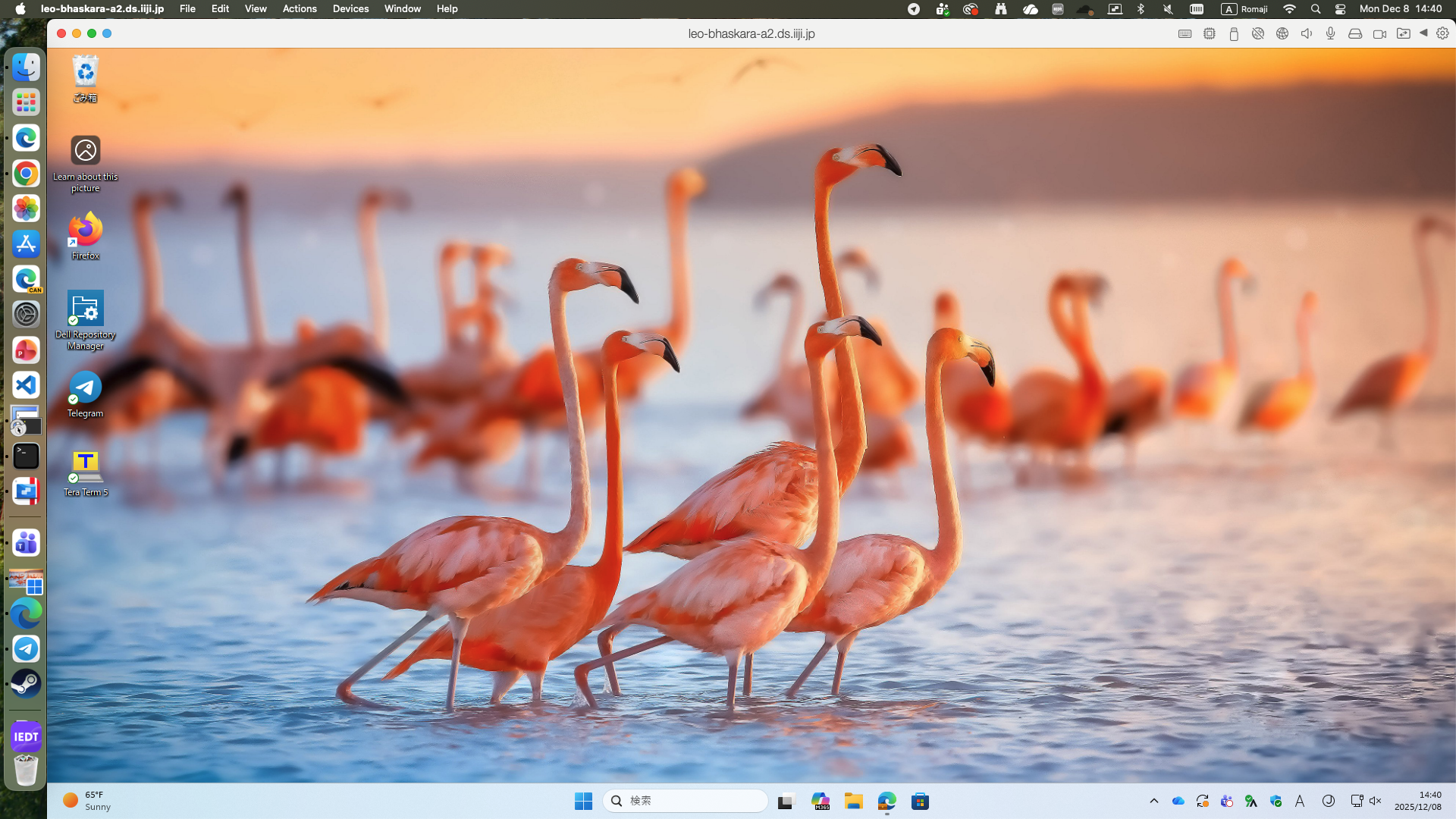
But this kind of virtualization might be too much for most people. Moreover you have to purchase a separate license for Windows, in addition to the license for the virtualization software.
If you use Adobe AI image denoiser a lot, then probably the Lenovo will be faster than the Mac Mini.
This is because Adobe's engineers still haven't found out the way to utilize Apple Neural Engine for this purpose. (source)
If you don't use the AI denoiser a lot then I think the Mac Mini can feel a bit faster due to optimizations Adobe has done with their software on Apple-silicon-based Macs.
-
8th December 2025, 01:54 PM #11
- Join Date
- Dec 2011
- Location
- New England
- Posts
- 9,291
- Real Name
- Dan
Re: new computer specs
It would take a substantial difference in speed to make it worth learning my way around a new OS.
I haven't used virtual machines, although I've thought about it because I sometimes have a hankering to put a Linux installation on one of my machines. But then I think about all the time I would sink into relearning Linux and force myself to give it up.
Re apps: Most of my major applications will run fine on either OS, including Office, Stata, my browsers (Vivaldi and Firefox), Adobe, and Zerene. It's the small ones that I use a great deal that don't, like my file manager and sync program (Directory Opus) and my main graphics file viewer (Irfanview). Bey9ond that, it's knowing how to access and tweak all sorts of settings.
-
9th December 2025, 12:40 AM #12
- Join Date
- Oct 2015
- Location
- Land of the Rising Sun
- Posts
- 460
- Real Name
- Leo Bhaskara
Re: new computer specs
Yes, in your particular case and with these two specific machines, it's not worth it.
-
9th December 2025, 06:31 PM #13Moderator
- Join Date
- Mar 2012
- Location
- Ottawa, Canada
- Posts
- 22,492
- Real Name
- Manfred Mueller
Re: new computer specs
Every time I look at a new computer, I have a good look at both PC and Apple hardware. I have used both fairly extensively over the years, especially when looking at the creative side of things (photos and video). Originally Posted by lunaticitizen
The result is always the same, the Apple hardware is considerably more expensive than equivalent PC based systems. I am not surprised given that Apple has the highest profit margins in the business. On top of this, Apple hardware is generally locked down at build time and with PC systems, I can make upgrades over time.
Mac Pros are still running M2 silicon, which is two generations ago. To build a roughly equivalent machine, a Mac Pro would cost well over twice what my new PC cost (comparing 16 core / 32 thread current generation AMD CPU against older technology 24 core (16 performance cores + 8 efficiency cores) machine).
On top of that, the screens use the P3 colour space and my screens are the slightly wider Adobe RGB (which is better than P3 when making prints, as the additional reds and yellows are out of gamut for printing).
Sorry, Apple simply does not make sense from either a cost or performance standpoint.
-
10th December 2025, 01:53 AM #14
- Join Date
- Oct 2015
- Location
- Land of the Rising Sun
- Posts
- 460
- Real Name
- Leo Bhaskara
Re: new computer specs
What are your metrics when comparing them? Is it only the number of cores?
If we also consider performance per Watt, I'm confident modern Macs with ARM-based SoCs are considerably more efficient than Intel or AMD (x64) machines.
One example:
https://www.notebookcheck.net/Apple-....699140.0.html
With some synthetic benchmarks, you can see that in term of raw power some x64 CPUs can perform better than Apple SoCs. However, when we also consider the power consumed you can also see that there's no contest.
As I wrote above, if you do a lot of workloads requiring GPU and machine learning such as Adobe AI Denoise, then currently Windows machines with a discrete GPU will be considerably faster. No argument.
If we consider their form, I'm sure that Dan's new workstation is far bigger than a Mac Mini. I like small form better.
No, we cannot upgrade Macs as easily as we can with Windows machines. However, I've never felt the necessity to do that, either. I don't buy new Macs every year, but when I think it's time then I just sell them and buy a new one. No biggie. I still own and use an Apple MacBook Air with an Intel CPU that I use for regular web browsing. I haven't felt the urge to replace it.
Re: screen, I myself use an Eizo FlexScan monitor. I'm not sure if they support ColorEdge monitors on Macs.
-
10th December 2025, 01:53 PM #15
- Join Date
- Dec 2011
- Location
- New England
- Posts
- 9,291
- Real Name
- Dan
Re: new computer specs
Damn. Once again, I wrote a response, but it got lost because CiC took too long to respond. I'll try again, this time saving a copy.
Leo, I think we are mixing apples and oranges (no pun intended).
Size and efficiency often matter, but I don't think they are relevant to Manfred's points. Of the topics in your post, the one that is relevant is the impact of a discrete GPU on performance when using some of Adobe's functions. This was the main reason I bought a second computer. Absent that, I could have made do with my new laptop, which is reasonably competent for most of LR and Photoshop, particularly because my raw files are relatively small, far smaller than some of Manfred's.
Re size: the Mini is a little smaller, but not much. This is what ChatGPT gave me (my Lenovo won't be arriving until later today):
Apple Mac mini — 5.0 in × 5.0 in × 2.0 in (12.7 cm × 12.7 cm × 5.0 cm) (apple.com)
Lenovo ThinkStation P3 Tiny — 7.0 in × 7.2 in × 1.5 in (17.9 cm × 18.3 cm × 3.7 cm) (Lenovo.com)
Not a big enough difference to be relevant for most uses, I think. (I only looked at a tiny format because Lenovo was running a sale that made it about 1/3 cheaper than the tower I was searching for.)
Re power consumption: I knew the ARM chips are more efficient, but I was startled by how big the difference is. Under some conditions, the mini consumes 1/3 as much. (The proportional difference would of course be smaller if counting peripherals, in particular, monitors.) This would influence my decision if all other things were approximately equal, but they are not. I'm very conscious of carbon footprint and try to minimize energy use. (For example, my wife and I both drive electric cars, we put solar panels on our previous house, and we heat our current house [too shaded for solar panels] primarily with heat pumps.) However, this is a small enough total that it wouldn't outweigh for me the downsides: having to deal with a new OS and losing a discrete GPU.
Re monitors: I use a wide gamut NEC from the days when NEC was independent and was still a competitor to Eizo. I don't know whether a Mini could support that. Since it's calibrated using its own LUT, maybe so.
-
10th December 2025, 07:50 PM #16Moderator
- Join Date
- Mar 2012
- Location
- Ottawa, Canada
- Posts
- 22,492
- Real Name
- Manfred Mueller
Re: new computer specs
Leo - that depends on what you are comparing. A lot of the mini units (whether they are a PC or Apple build) are laptop hardware put into a tiny case. When I bought a laptop a few years ago and I compare dthe two units (one Apple and the other a Lenovo) I was interested in, the MacBook was ahead, performance wise, only in one area, power draw. I do use a laptop when travelling, but when I looked at my needs, I found that my laptop had about half of the battery life of the Apple product. As I rarely spend more that a few hours away from someplace I can plug it in, it wasn't a significant downslide. Yes, ARM based CPUs are much more energy efficient than Originally Posted by lunaticitizen
On the other hand when I compare the Mac Pro that I was looking at that is speced to draw up to 1280W. My new computer has a 850W power supply, so it is more energy efficient than the current Mac Pro I would have considered. My x64 build is a lot more powerful than the nearest Apple offering (CPU, GPU, SSD/HDD and RAM). At a much lower cost.
I have to look at it pragmatically. If someone gave me a modern Apple desktop, I would not turn it down. If I have to buy it with my own money, right now, Apple is not a competitive product.
-
10th December 2025, 09:23 PM #17
- Join Date
- Dec 2011
- Location
- New England
- Posts
- 9,291
- Real Name
- Dan
Re: new computer specs
A lot of the mini units (whether they are a PC or Apple build) are laptop hardware put into a tiny case.
I'm not sure what this means. Better laptops are similar to competing desktops in terms of RAM and CPU. These didn't differentiate the mini I just bought from the towers I compared it to. The main difference is that all the laptops I have used and all of the inexpensive desktops I looked at have integrated GPUs, typically Intel, and these aren't really adequate for current adobe apps. I set out to buy a tower in order to get an 8 GB dedicated GPU, but then I stumbled on the Lenovo mini, which had the same one I saw in some towers.
On the other hand, there is pretty much no room for any further modifications. The Lenovo has room for a second SSD and one PCle expansion module, but that's it.
-
11th December 2025, 12:27 AM #18Moderator
- Join Date
- Mar 2012
- Location
- Ottawa, Canada
- Posts
- 22,492
- Real Name
- Manfred Mueller
Re: new computer specs
Laptops use low power components to extend battery life. An added benefit of the low power is that limited heat is produced, which allows the components to fit into a very small package, which require minimal ventilation. The cost of doing so means these machines that are not as powerful as desktops. When I look at the power supply on some of the minis on the Lenovo website, I see a 150W power supply. The screen uses an external power supply, so the amount of power handled by the mini is much lower than a laptop. For example my Lenovo laptop has a 230W power supply. My new desktop has a 850W power supply. Originally Posted by DanK
The computer shop I deal with repairs computers of all makes (other than Apple) and they have been inside the mini units and this is what they see inside the mini cases.
Of course, then there is the screen. My new Benq SW272U (27", Adobe RGB, 4K) draws a maximum of 200W and my old screen (27", Adobe RGB, 2.5K) draws a maximum of 150W. In theory, my new system can peak at 1200W. It is fairly quiet, unless I run some very heavy duty applications and the noise level definitely picks up.
-
11th December 2025, 01:00 AM #19
- Join Date
- Oct 2015
- Location
- Land of the Rising Sun
- Posts
- 460
- Real Name
- Leo Bhaskara
Re: new computer specs
Well, I just wrote a long response, and when I clicked "Post" the server timed out and it's all gone. ¯\_(ツ)_/¯
-
11th December 2025, 02:20 AM #20Moderator
- Join Date
- Mar 2012
- Location
- Ottawa, Canada
- Posts
- 22,492
- Real Name
- Manfred Mueller
Re: new computer specs
Not sure what the problem with the site is on your end. I get very fast response times, with some very occassional slower periods. Originally Posted by lunaticitizen

 Reply With Quote
