
 Helpful Posts:
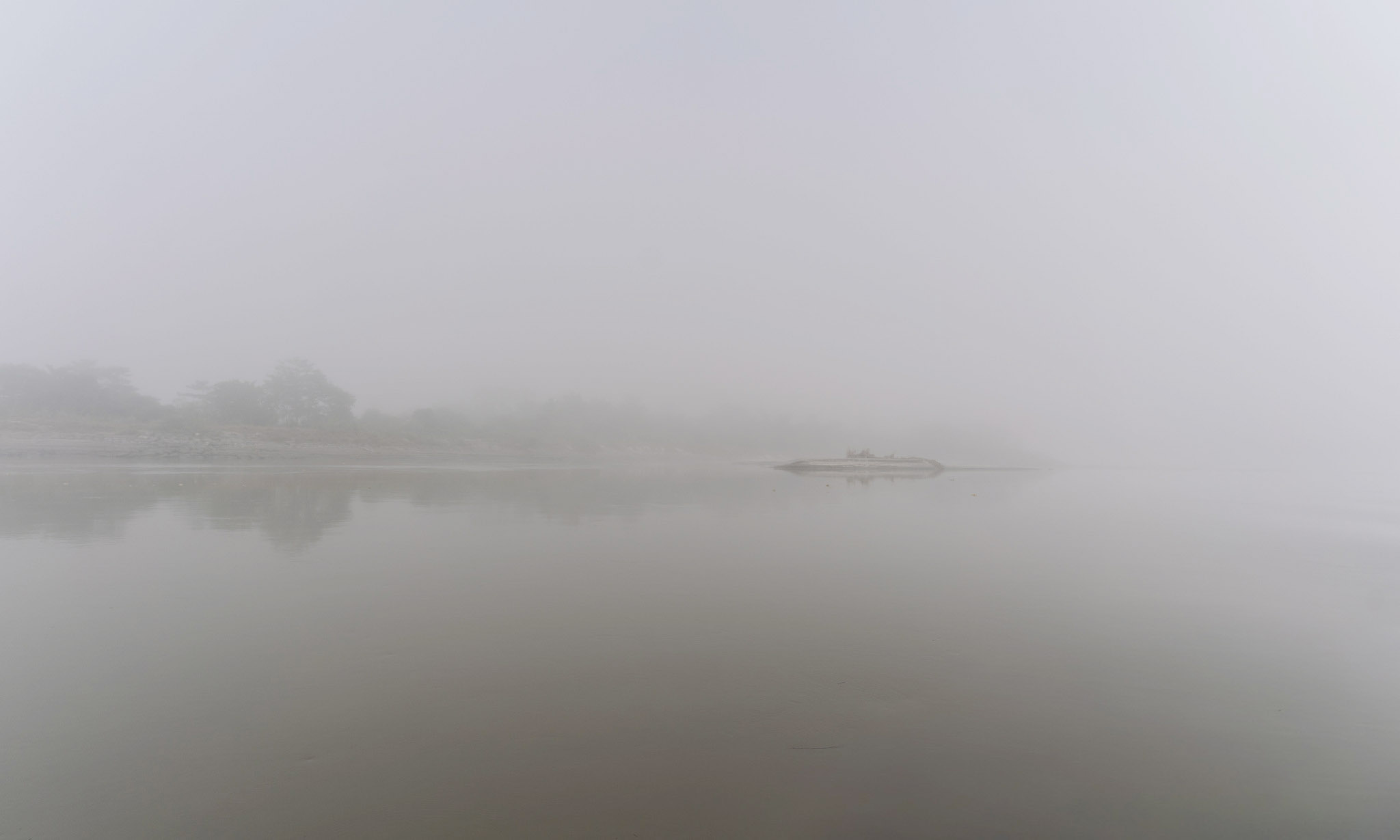
 In this thick fog, the horizon dissolves and only this calm surface remains, where sky and water almost merge. The distant shore becomes a memory, a faint line that hesitates between presence and erasure.
Results 1 to 10 of 10
-
12th December 2025, 11:18 PM #1


- Join Date
- Mar 2025
- Location
- Setúbal - Portugal
- Posts
- 322
Landscape Project - Silent Suspension
-
13th December 2025, 12:57 PM #2

- Join Date
- Apr 2015
- Location
- Ottawa, Ontario, Canada
- Posts
- 1,605
- Real Name
- André
Re: Landscape Project - Silent Suspension
I don't know what is causing the large dark shadow in the foreground but I find that it tends to spoils the mood of the image. I would try to minimize it.
-
13th December 2025, 09:01 PM #3
- Join Date
- Mar 2025
- Location
- Setúbal - Portugal
- Posts
- 322
Re: Landscape Project - Silent Suspension
I agree with you André !
Your version is better !
Thanks
-
27th December 2025, 03:39 PM #4
- Join Date
- Mar 2025
- Location
- Setúbal - Portugal
- Posts
- 322
Landscape Project - Silence and Stillness
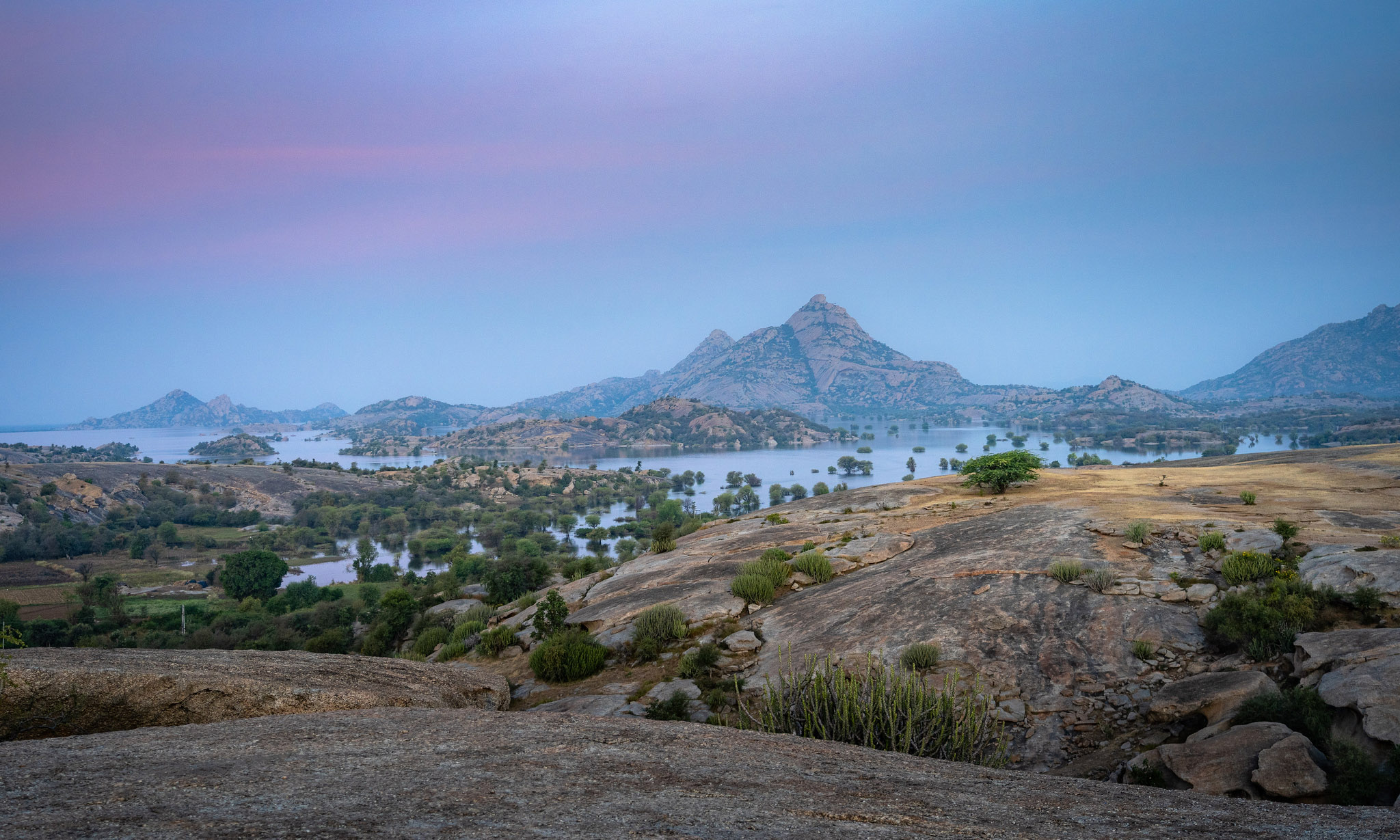
I took this photograph to hold on to a sense of quiet vastness, that moment when the world seems to breathe slowly before the day fully wakes. I looked for a landscape where water and stone could speak to each other, with scattered trees giving scale and fragility to the land.
I chose a wide framing, using the rocky foreground to lead the eye towards the central massif, and I waited for a cool, almost lilac light that softens the contrasts. Seeing it again, I notice how the rock’s texture anchors the image, and how the sky, though understated, carries the scene’s poetic tension, inviting the viewer to slow down.
-
I was really hoping to remove the two marks on the left side of the sky, but I just couldn’t get it looking right. I tried a few small tweaks, but either the marks were still there or the sky started to look a bit unnatural.
If anyone has any tips on how to deal with this while keeping the sky looking realistic, I’d really appreciate it. Thanks you.
-
Healthy 2026 to everyone !
Cheers !

-
27th December 2025, 05:29 PM #5

- Join Date
- Jan 2020
- Location
- Calgary, Alberta, Canada
- Posts
- 554
- Real Name
- Len
Re: Landscape Project - Silence and Stillness
Antonio, an interesting and tranquil pre dawn landscape. I would be inclined to darken the bright area in the sky top centre. I see the spots you are referring to on the left side. Have you tried adjusting the opacity and feathering of your cloning/spot removal tool - I find this sometimes helps with stubborn spots.......
-
27th December 2025, 07:28 PM #6
- Join Date
- Mar 2025
- Location
- Setúbal - Portugal
- Posts
- 322
Re: Landscape Project - Silence and Stillness
Len, thank you for the tip. What worries me most in this image are the spots on the left side of the sky.
I tried using the Remove Tool and it looks fine at first glance, but then (with a different zoom/export) I notice a slight halo/smudge, and the transition in the gradient gives away the correction.
I will have to concentrate first on solving that more precisely (opacity/feathering and, if necessary, switching between Heal and Clone), and only then go back to the brightness adjustments in the sky — I don’t want to “mask” the image while the spots aren’t truly clean.


-
29th December 2025, 06:24 PM #7
- Join Date
- Apr 2015
- Location
- Ottawa, Ontario, Canada
- Posts
- 1,605
- Real Name
- André
Re: Landscape Project - Silence and Stillness
Antonio,
It should be easy to get rid of the spots using the patch tool in photoshop. First duplicate the layer then add a curve adjustment layer to drastically increase the contrast in order to make the spots more visible. Then with the duplicate layer selected, draw a generous selection around the right hand spot with the patch tool and drag the selection to the right for its whole width and let go. The spot will completely disappear. Do the same with the left hand spot then delete the adjustment layer.
Here is an example working on the jpg that you posted.
-
29th December 2025, 08:44 PM #8

- Join Date
- Dec 2011
- Location
- New England
- Posts
- 9,291
- Real Name
- Dan
Re: Landscape Project - Silence and Stillness
Looks like very large dust bunnies to me. Time for a sensor cleaning.
If you haven't checked for dust bunnies, the easy way is to find a uniform surface--a computer screen set to show a single light color works well--and take a photo of that surface with a very small aperture, like f/22.
You could also try the new remove tool to get rid of the spots in this one image. It has drawbacks, but it's simpler, and you don't have to find an area to use as a match. Or even the old spot healing brush. They are pretty nearly effortless, so there is no harm in trying them (on a new layer to make it easier to undo) and moving on to something else if they don't work.
-
2nd January 2026, 04:25 PM #9
- Join Date
- Mar 2025
- Location
- Setúbal - Portugal
- Posts
- 322
Re: Landscape Project - Silence and Stillness
André, thank you very much for your tip — it was extremely important and, thanks to it, I managed to remove the specks from the photograph. I still think they may be slightly noticeable, but that will mostly be for those who already knew they were there.
Of course I didn’t manage it on the first attempt, because I had never used the Patch Tool. I had to experiment and understand Diffusion, Source, and Destination, but it was worth it: I learned something, which is always great.
-
Dan, thank you as well! I went to the Healing Brush Tool and it was even simpler and faster — but not before I made a duplicate layer and strongly boosted the contrast with Curves, somewhat similar to the other process… I also lowered Diffusion to 1.
Wishing you a healthy 2026 !

-
3rd January 2026, 09:50 PM #10
- Join Date
- Mar 2025
- Location
- Setúbal - Portugal
- Posts
- 322
Landscape Project - A Moment’s Pause
Late afternoon in Jawai felt like a pause, the sort where haste seems out of place. The light dropped slowly, warm and slanting, gilding the rocks and softening the ridge line, while the water stayed almost still, as if listening. The air had that end of day clarity, with a faint haze pushing the horizon farther away.


 Reply With Quote
